Supported platforms
Currently Discover Health Age is available in two formats, web and desktop. Each has it's own strong points and tradeoffs.
Desktop app for Mac/Windows
This version is recommended for most users. To download a copy, visit https://discoverhealthage.com/dl/desktop.
Windows installation notes
Health Age for windows comes with a standard install wizard. Just run `Health Age Setup.exe` and follow the instructions.
Windows may show a warning about the software not being verified, which you can safely ignore. You may have to click "more info" to find the continue button.
Mac installation notes
Follow these steps to install on Mac:
- Double click on the downloaded file. The file is called a disk image and a new window will open showing the contents.
- Drag the Health Age app with the red apple icon to the Applications folder.
The app should show up in the launchpad along with your other apps. If you're having trouble finding it, press CMD+Space and start typing "Health Age"
Web App
The web version has all the same features as the web version, but packaged as a website. It loads almost instantly and doesn't require any installation, so it's idea for borrowed computers or slow internet connections. You can access it at https://discoverhealthage.com/
Frequently Asked Questions
I tried to download the desktop app but my computer says the file is corrupted!
Your computer is correct. Usually this happens when you try to download with very slow internet. A second try usually fixes the problem.
Does the web app save my entries if I close the browser?
Yes! Your entries will be saved unless you clear your browsing data. This is true whether or not offline mode is enabled.
Does the web app work offline?
Yes it does, as long as you enable offline mode.
IMPORTANT NOTE: If you clear your cookies or browsing data while offline mode is enabled, you will lose access to your license key until the installation automatically expires after 30 days.
"Licence key already in use" error.
Like it says, if you've used a license key to activate a computer you can't use it again without logging out on the first computer.
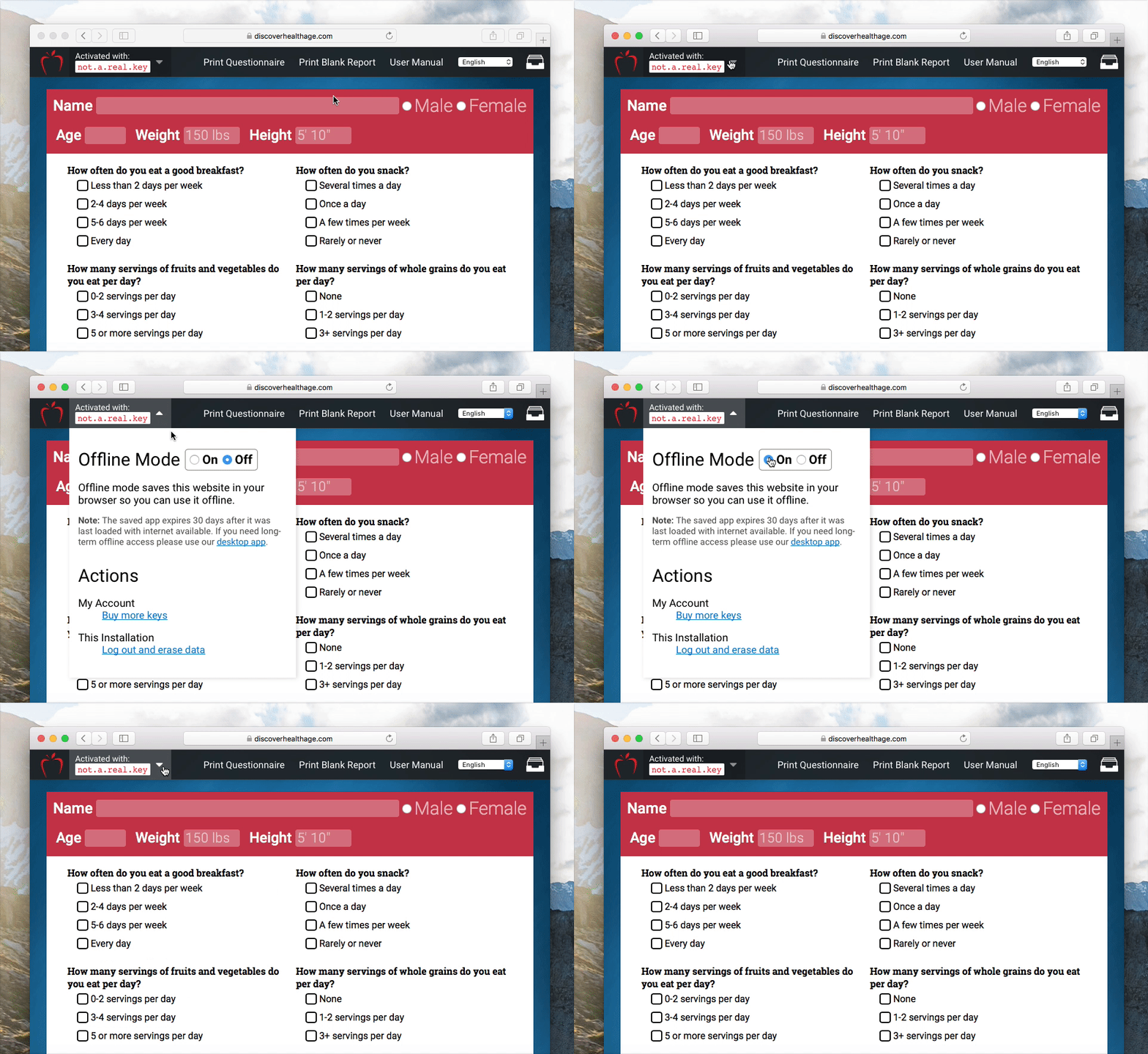
To log out, click on your license key in the header and choose "Log out and erase data" at the bottom of the dropdown: